How to Create Your Levo Account
Getting started with Levo takes less than a minute. No credit card and no lengthy forms required.
Sign Up
Getting started with Levo takes less than a minute. No credit card and no lengthy forms required.
How to Create Your Account
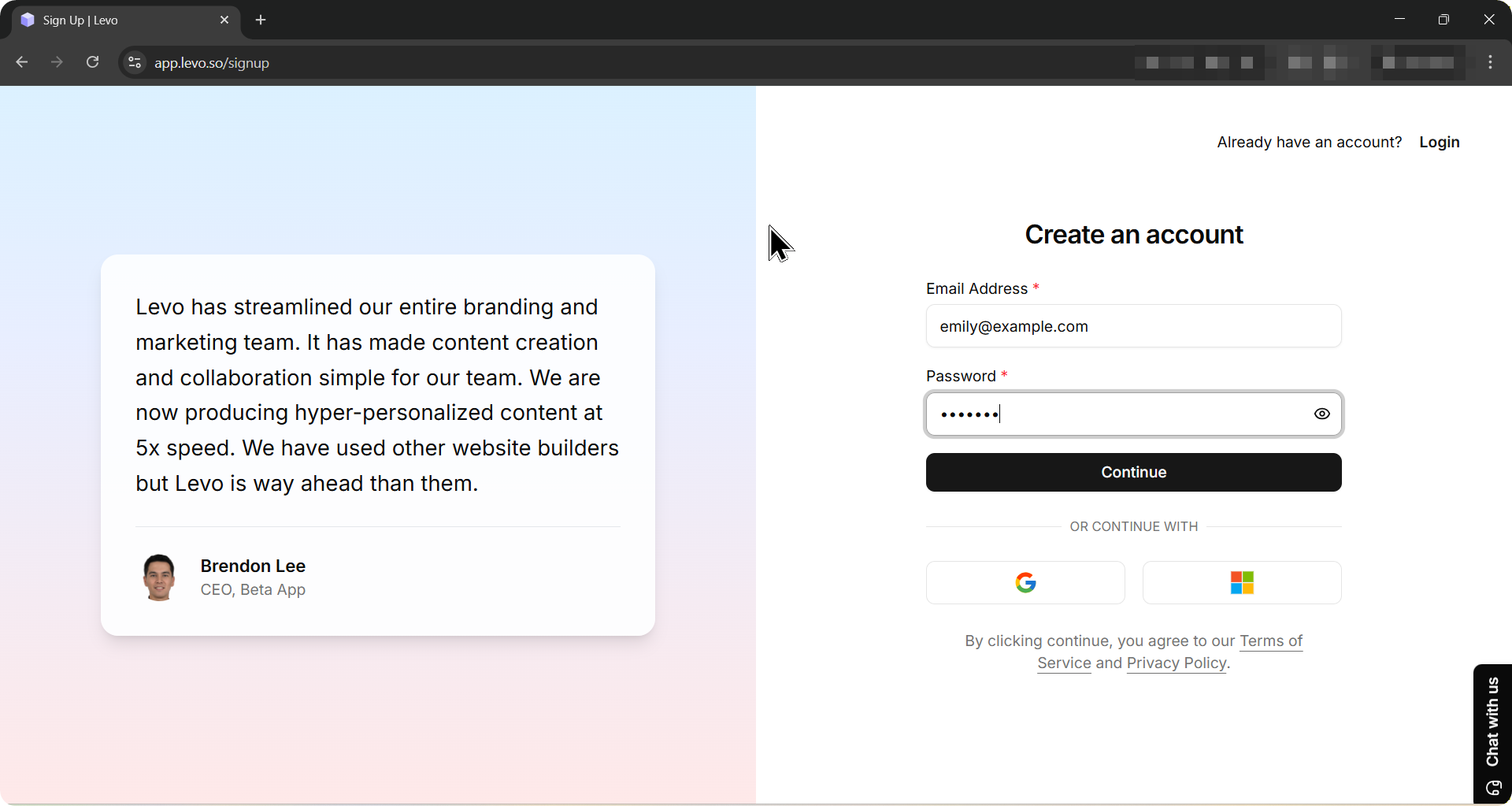
Go to https://app.levo.so/signup.
Enter your email address and choose a password.
Click Continue.
That's it. Your account is ready.
Already Have an Account?
Those with current accounts can log in at https://app.levo.so/signin
What Happens Next?
After signing up, you will be taken straight to the Create Workspace screen. This is where you set up your first project and start building your website
Getting Started
